

Most people pick a gaming chair the way they pick a car stereo: by how it looks in the photo. Bucket seat, racing stripes, a logo stitched into the headrest. Then, about three weeks in, the lower back starts to ache after long sessions, the wings on the seat dig into the thighs, and the “lumbar pillow” has slid down to somewhere around the tailbone.
The good news is that comfort over a four-hour evening comes down to a handful of measurable things. Get those right and the styling is just a bonus. This guide covers how to choose a gaming chair by focusing on the ergonomics that actually change how you feel, and skipping the features that mostly exist to fill a spec sheet.
Start with your body, not the product page
A chair is only “ergonomic” if it fits the person sitting in it. Before you look at a single listing, grab a tape measure and spend five minutes on three numbers.
- Knee height (popliteal height): sit on any firm surface with your feet flat and thighs level, then measure from the floor to the crease behind your knee. Your ideal seat height is roughly this number, plus a little for shoes.
- Thigh length: measure from the back of your hips to the back of your knee while seated. This decides how deep the seat should be.
- Hip width: measure across your hips while sitting. Add a few centimetres of room on each side.
Write these down. Now, when a manufacturer lists a seat height range of 46–55 cm and your knee height is 41 cm, you know immediately that the chair will leave your feet dangling unless you add a footrest.
Seat height and depth: the two numbers that matter most
If your feet cannot rest flat on the floor, you will slide forward to reach it. Once you slide forward, your back leaves the backrest, and every bit of lumbar support you paid for stops doing anything. So seat height comes first. The lowest setting should let a shorter user plant their feet, and the highest should keep a taller user’s thighs roughly parallel to the floor.
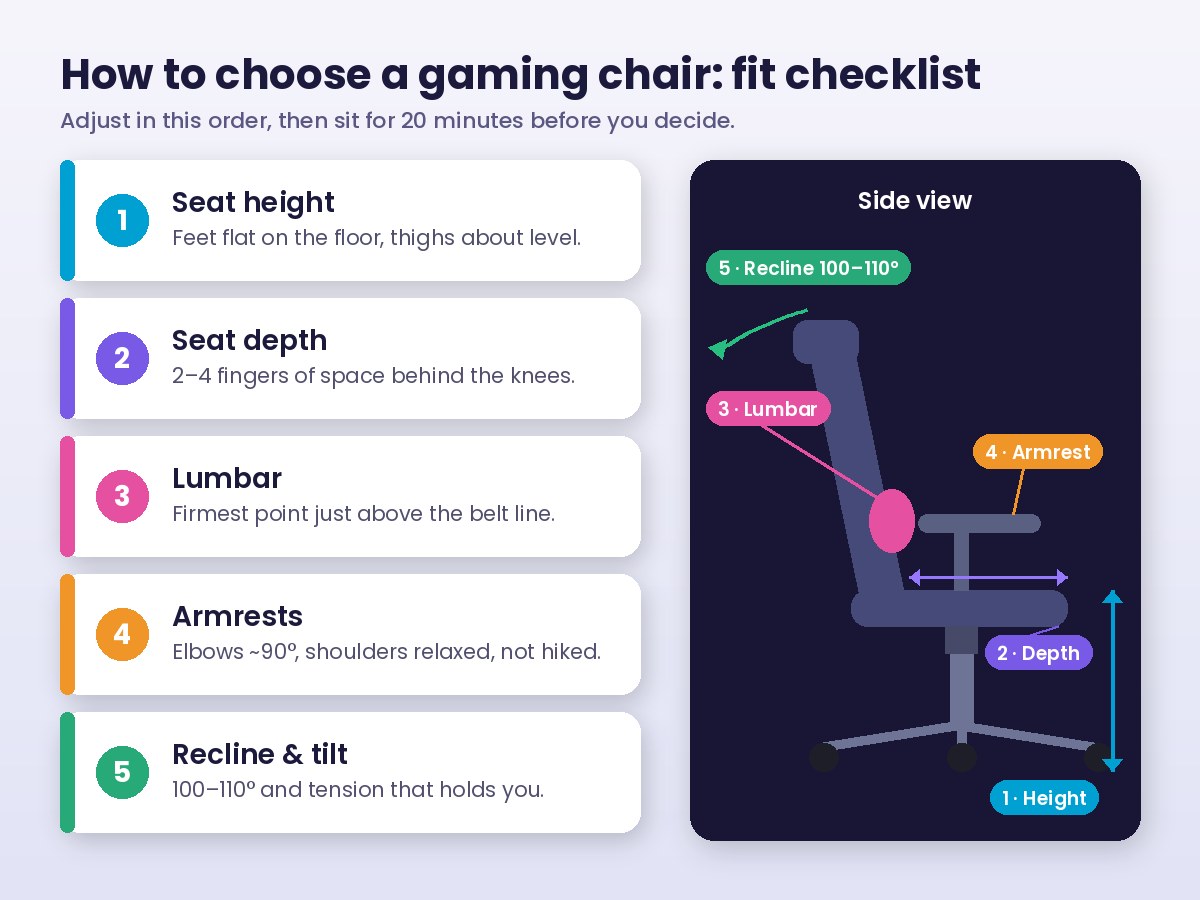
Seat depth is the one people forget. With your back against the backrest, you want a gap of about two to four fingers between the front edge of the seat and the back of your knees. Too deep and the edge presses into your calves, so you perch on the front half of the cushion. Too shallow and your thighs are not supported, which loads the hips.
Shorter players run into seat-depth trouble with gaming chairs more than anyone, because many popular models are built around a large, fixed bucket. A seat slider, which lets the cushion move forward and back independently of the backrest, is the fix. Check the spec sheet for it explicitly. The OSHA computer workstation guidance on chairs makes the same point: the backrest or seat should move so both short and tall users can sit back fully without the seat edge hitting their knees.
Lumbar support: built-in beats a loose pillow
Your lower spine has a natural inward curve. Sit for long enough without support and that curve flattens, your pelvis tips back, and you end up in the classic slouch that leaves your lower back sore the next morning.
Many gaming chairs handle this with a strapped-on cushion. It can work, but it moves every time you shift your weight, and it rarely lines up with the small of your back for long. Better options, roughly in order:
- Adjustable built-in lumbar that moves up and down and, ideally, in and out with a knob or lever.
- A fixed lumbar curve shaped into the backrest, which is fine if it happens to sit at the right height for you.
- A pillow you can strap in place, which is better than nothing but needs regular readjustment.
Recline and tilt tension
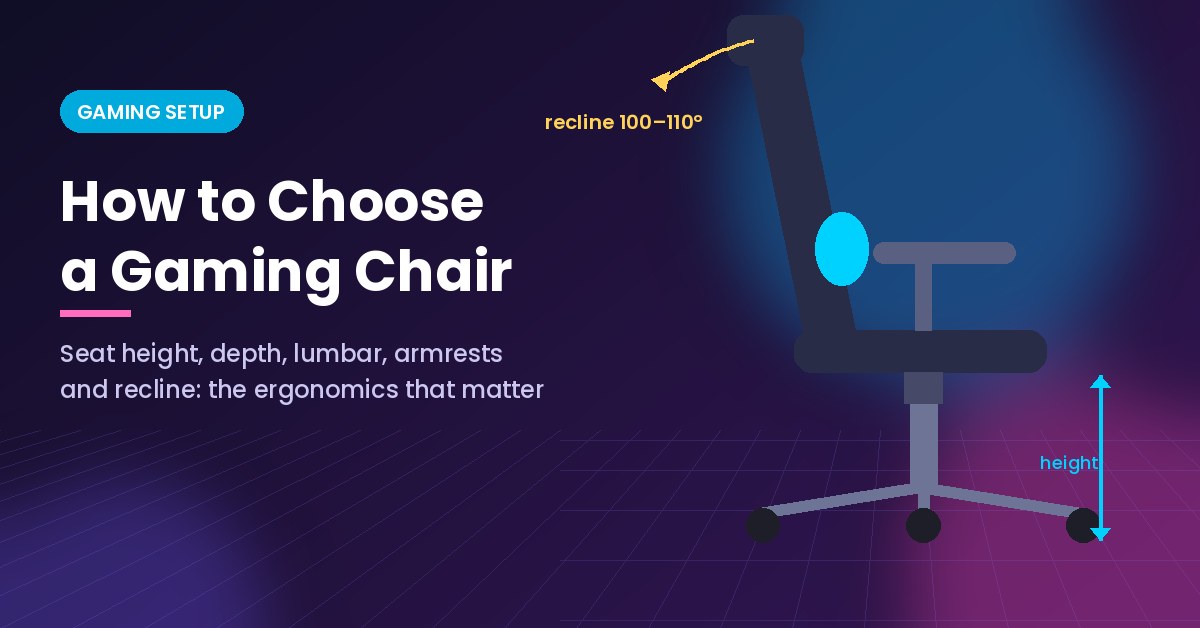
Leaning back slightly is healthy. A recline of 100 to 110 degrees takes pressure off the discs compared with sitting bolt upright, which is why it is worth having a backrest that reclines a few degrees and locks there. The 160- or 180-degree “nap mode” that many gaming chairs advertise is a fun extra, not an ergonomic feature.
What matters more is a tilt mechanism with adjustable tension. Synchro-tilt, where the seat tilts at a smaller angle than the backrest, keeps your feet on the floor while you recline and is worth paying for if you sit for long stretches.
Armrests: where most shoulder pain starts
Armrests sound minor until you have used ones that are too high. Your shoulders hike up, your neck tightens, and after an hour of aiming with a mouse the tension sits right between your shoulder blades.
Set correctly, armrests let your shoulders hang relaxed with your elbows bent at about 90 degrees and forearms lightly supported. That only happens if they adjust. Marketing terms like “3D” or “4D” describe how many directions they move:
- Height is essential.
- Width (in and out) matters if you are narrow-shouldered or use a compact keyboard close to your body.
- Depth (forward and back) lets you get close to the desk without the pads hitting its edge.
- Pivot is helpful for controller play, where your forearms angle inward.
Racing-style vs office-style: an honest comparison
The racing bucket look came from car seats, which are designed to hold you in place during hard cornering. Your desk does not corner. Raised side bolsters can press into the outer thighs and make it harder to shift position, which people do constantly over a long session.
That does not make racing-style chairs bad. Many are well built. But if you are choosing purely on comfort, a good ergonomic office chair often matches or beats a gaming chair at the same price, and usually offers a seat slider and better tilt control.
A simple way to decide:
- Pick racing-style if you like a firm, enclosed feel, sit fairly upright, and the model you are looking at has adjustable lumbar and wide enough seat bolsters.
- Pick office-style if you move around a lot in your seat, are on the shorter or wider side, or want breathable mesh for a warm room.
Materials, foam and the hot-room problem
PU leather looks sleek and wipes clean, which is great around snacks and spilled drinks. It also traps heat and, on cheaper chairs, can start to peel within a couple of years. Fabric breathes better and ages more gracefully. Mesh breathes best but can feel less cushioned.
For foam, look for the words “cold-cure” or “high-density.” It holds its shape far longer than the soft, cut foam used in budget chairs, which compresses until you can feel the seat pan beneath it.
Build quality and the details that predict lifespan
A gaming chair takes a lot of abuse: constant swivelling, leaning back hard, getting dragged across the floor. A few specs tell you whether it will last.
- Gas lift class: a Class 4 gas cylinder is the sturdier standard. Class 3 is common and generally fine for average weights.
- Base: aluminium or steel bases hold up better than nylon for heavier users.
- Weight rating: buy a chair rated well above your weight, not just at it. A chair that is always near its limit wears out faster.
- Casters: hard casters suit carpet. On hardwood or laminate, softer PU-coated casters protect the floor and roll more quietly.
- Warranty: a long warranty on the frame and gas lift tells you how much confidence the maker has in its own product.
How the chair fits into the rest of your setup
A gaming chair does not work in isolation. The best seat in the world will not help if your monitor is too low and you crane your neck for hours. Once the chair fits you, set the desk so your forearms sit level with the keyboard, and put the top of the screen at or slightly below eye level. If the desk is fixed and too high, raise the chair and add a footrest rather than reaching up.
If you game on a TV from a couch or recliner, the same logic applies: support for the lower back, feet resting on something solid, and the screen at a height that keeps your neck neutral. We cover the room side of things in our guide to home game room ideas on a realistic budget, and if you are tuning the screen too, our breakdown of the best TV settings for gaming covers input lag and picture.
A five-minute fit test before you commit
If you can sit in the chair in a store, or if you are within a return window, run through this quick check. It mirrors the order adjustments are usually recommended, and the Canadian Centre for Occupational Health and Safety’s guide to adjusting chairs is worth reading if you want more detail.
- Raise or lower the seat until your feet are flat and your thighs are about level.
- Sit all the way back and check the gap behind your knees. Two to four fingers is the target.
- Move the lumbar support until you feel it just above your belt line.
- Drop the armrests to elbow height with your shoulders relaxed.
- Recline slightly, set the tilt tension, and see whether the chair supports you there without pushing you forward.
- Stay seated for at least twenty minutes. Pressure points that do not show up in thirty seconds often appear by then.
If something feels wrong and cannot be adjusted out, that is your answer. No RGB strip will fix a seat that is too deep for your legs.
What is worth paying for, and what is not
When budgets are tight, spend on the parts you touch and the parts that move: adjustable lumbar, a seat height range that fits you, height-adjustable armrests, good foam and a decent tilt mechanism. Skip extras such as built-in speakers, vibration motors and full-flat recline unless you genuinely want them for their own sake.
And remember that even a perfect gaming chair is no substitute for moving. Stand up between matches, stretch during loading screens, and take a proper break every hour or so. The right chair makes a long session comfortable. It does not make sitting still for six hours a good idea.